Weekly
Announced at launch
3 days free, then a small charge each week until you cancel. Cancel before the trial ends and you pay nothing.
Coming soonOne email when SubFinito is live on Google Play. Nothing else. Unsubscribe anytime.
SubFinito adds up everything that renews and shows you what ten years of it costs — usually a used car. Kill what you don't use; the dead ones go in the Graveyard, where the savings are counted.
Free to use. No account. Nothing leaves your phone.
Pick something. It adds up faster than you'd like.
Typical prices. The app uses yours.
This is the whole app. The rest is bookkeeping. Press Finito on one you don't use.
Nothing here yet. Kill something.
Sky for the number, lawn for what's alive, soil for the ten-year truth. Light by default; the park at night exists too. Four things it does, under a minute each.
Everything that renews or expires: streaming, gym, insurance, domains, free trials. Pick it from a list or type it. Ten seconds.
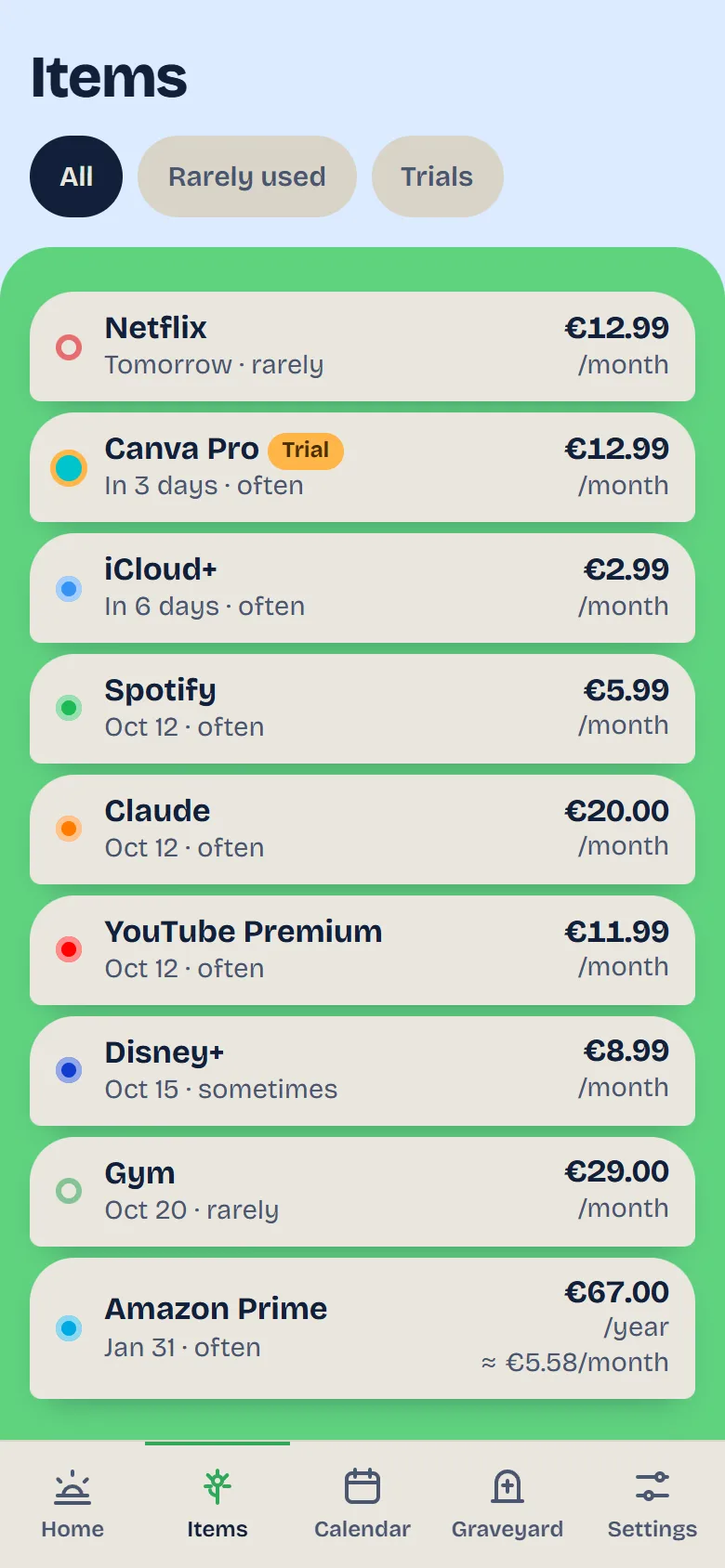
A countdown and a cancel-by date for every free trial, and a reminder the day before it turns into money. "Free" stays free.
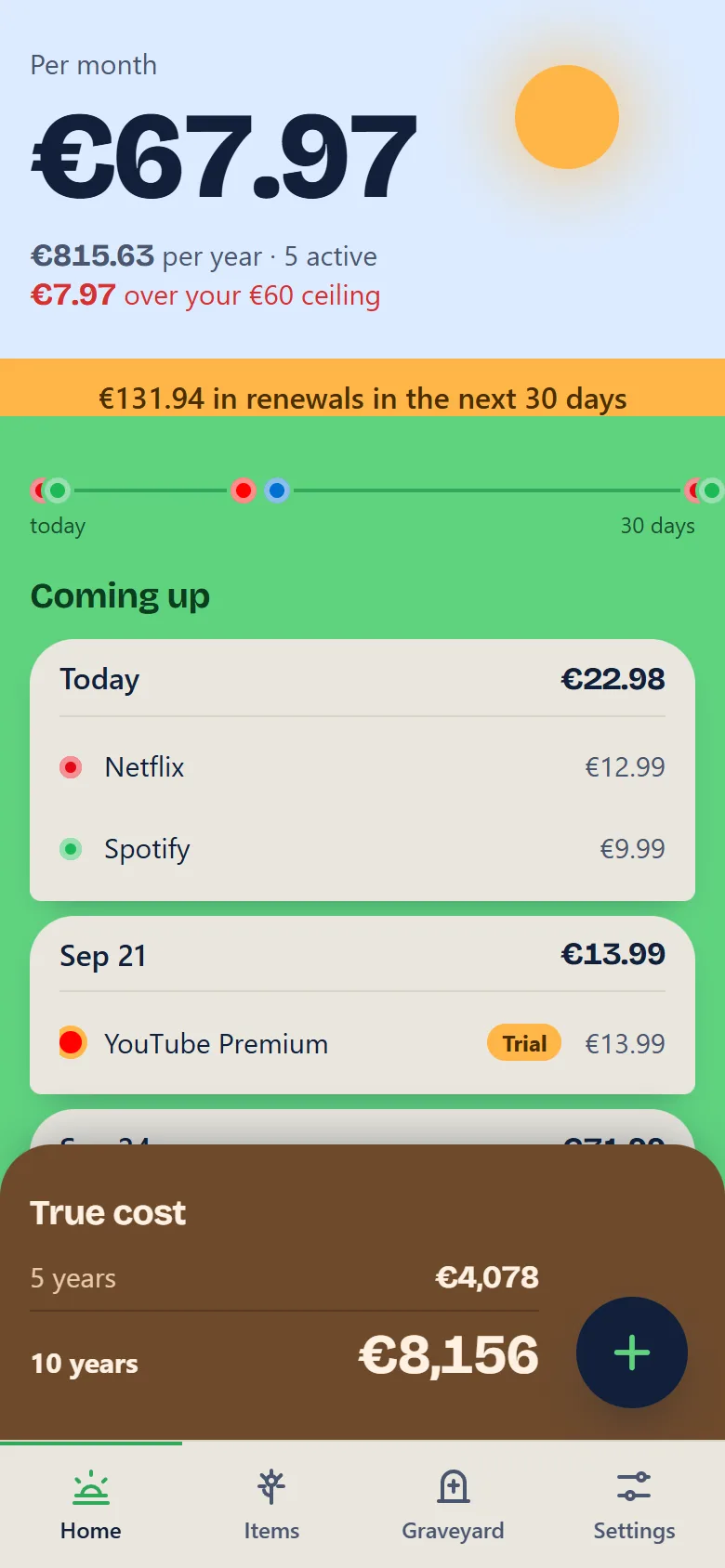
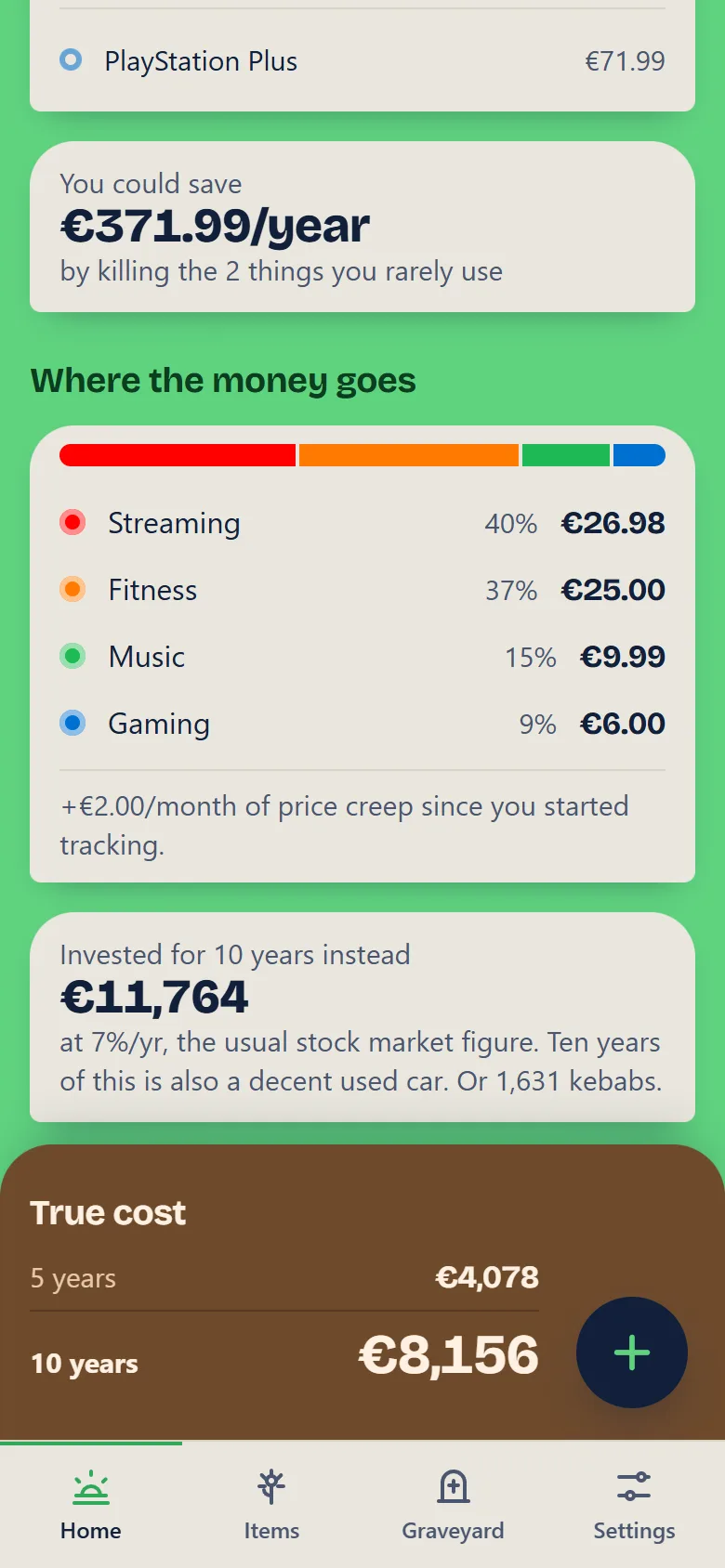
Per month, per year, and the ten-year number that never leaves the screen. Plus what it would be worth invested, and what it buys instead.
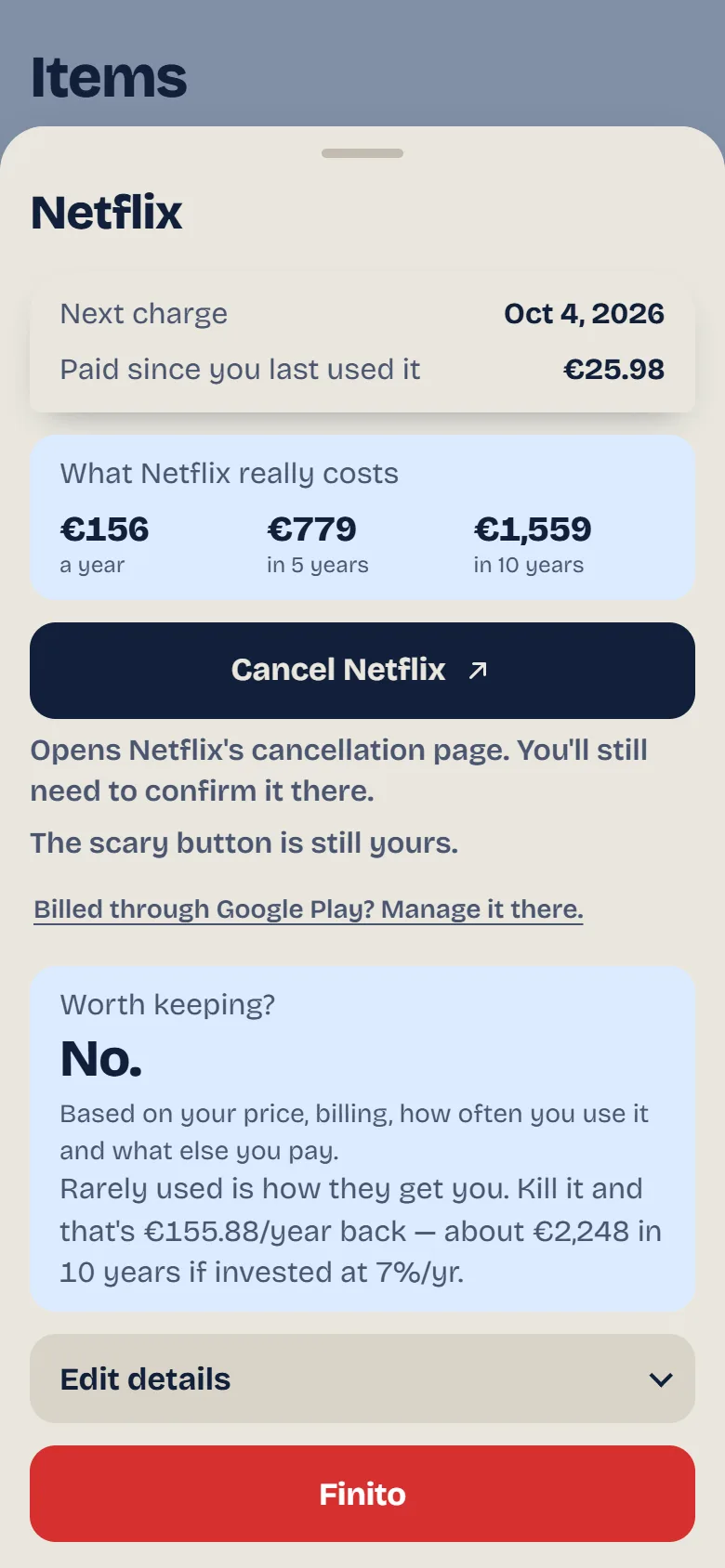
See what one subscription really costs over the years, ask whether it's worth keeping, open the service's own cancel page, then press Finito.
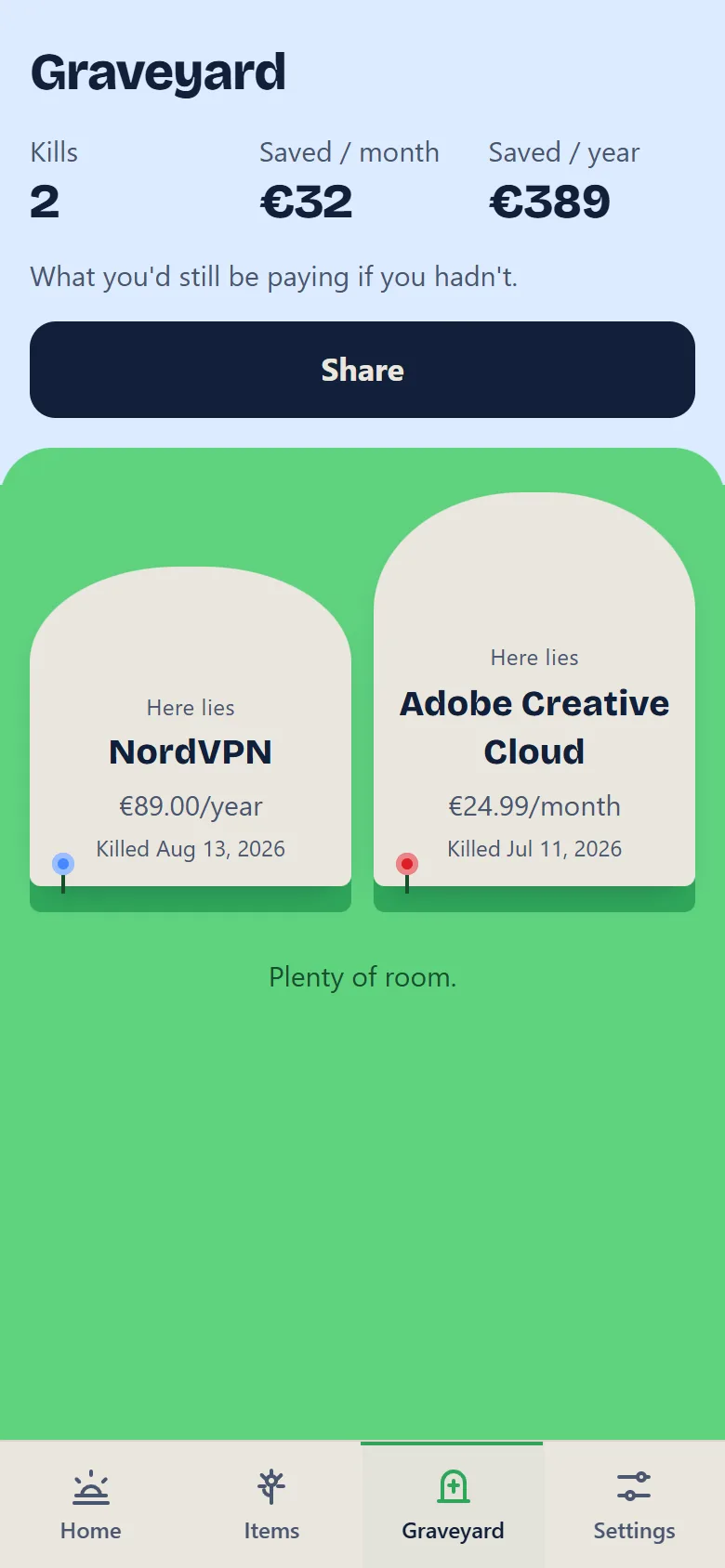
Cancelled subscriptions get a stone, not a delete button. Kills and savings are counted, and it makes an excellent screenshot.
Free tracks up to 10 subscriptions with everything that matters: the true cost, trials, reminders and the Graveyard. Pro takes the limit off and adds the parts that find real money.
Free stops at 10. Pro doesn't judge: streaming, gym, insurance, domains, every trial, all of it.
Spend by category, with a bar you can read at a glance. See what actually eats the month.
Set a ceiling. Home shouts when the month's total crosses it, before the bank statement does.
Remembers what each thing used to cost and shows how far it crept since you started tracking.
Type a price and how often you'd use it. Get a verdict, and what skipping it saves, before you subscribe.
On Android: your monthly total and the next renewal, on the home screen, without opening the app.
| Feature | Free | Pro |
|---|---|---|
| Subscriptions tracked | 10 | Unlimited |
| True cost, ten-year number, trials, reminders, Graveyard | Included | Included |
| Import from a bank file | Included | Included |
| Where the money goes | – | Included |
| Monthly limit | – | Included |
| Price creep | – | Included |
| Worth it? verdicts | – | Included |
| Home-screen widget (Android) | – | Included |
3 days free, then a small charge each week until you cancel. Cancel before the trial ends and you pay nothing.
Coming soonOne payment a year, renews until you cancel.
Coming soonPay once, keep Pro for good. No renewals, nothing to cancel.
Coming soonNot on sale yet. Weekly and yearly plans can be cancelled any time. Payment is handled by Dodo Payments, which also sends your receipt.
Pay on this website. After paying you land on a page with your Pro code and, on Android, an Open SubFinito button that opens the app and unlocks Pro. The code is in your receipt email too. If the button doesn't work, paste the code in the app under Settings, then Redeem Pro code. In the web version of the app (iPhone or computer), Pro unlocks by itself after you pay.
Up to 3 with one code. Changing phones? Paste the same code on the new one. Keep the code private: anyone who has it can use it.
Dodo Payments sells Pro for us, takes the payment, handles the tax and emails your receipt. We never see your card number. Dodo keeps your payment details and email for the receipt; the app only ever sees the Pro code.
Write to the address at the bottom of this page and it's cancelled. Pro then switches itself off at the end of what you paid for, and your list stays exactly as it was; only the extras lock again.
Nothing is deleted. You keep everything you added; you just can't add more past 10 until Pro is back on.